This article is Part 2 of the Microsoft Access tutorial.
Here’s what’s included in this article:
- Design View.
- Add field properties to a field.
- Add two more tables (for the relationship)
- Set up a relationship between three tables.
This article is Part 2 of the Microsoft Access tutorial.
Here’s what’s included in this article:
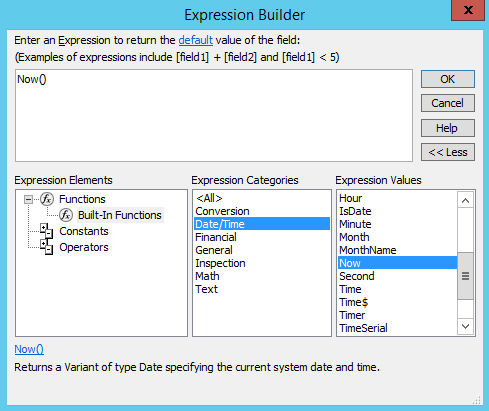
The Expression Builder is a component of Microsoft Access that helps you build expressions. It allows you to look up and build expressions without having to remember how to type the full expression.
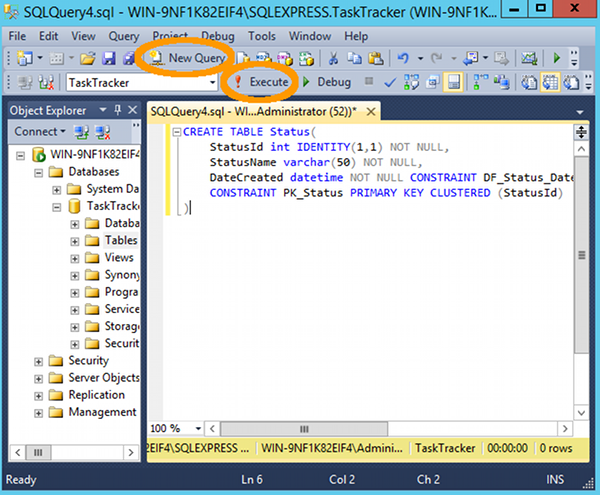
To create a table in SQL Server using a query:
CREATE TABLE script (example below)Here’s an example:
In the world of databases, a view is a query that’s stored on a database.
The term can also be used to refer to the result set of a stored query.
To create a view, you write a query, then save it as a view.
To run a view, you query it, just like you’d query a table. The difference is that, the view itself is a query. So when you query the view, you’re effectively querying a query. This enables you to save complex queries as views, then run simple queries against those views.